When legal research and document editing become one process
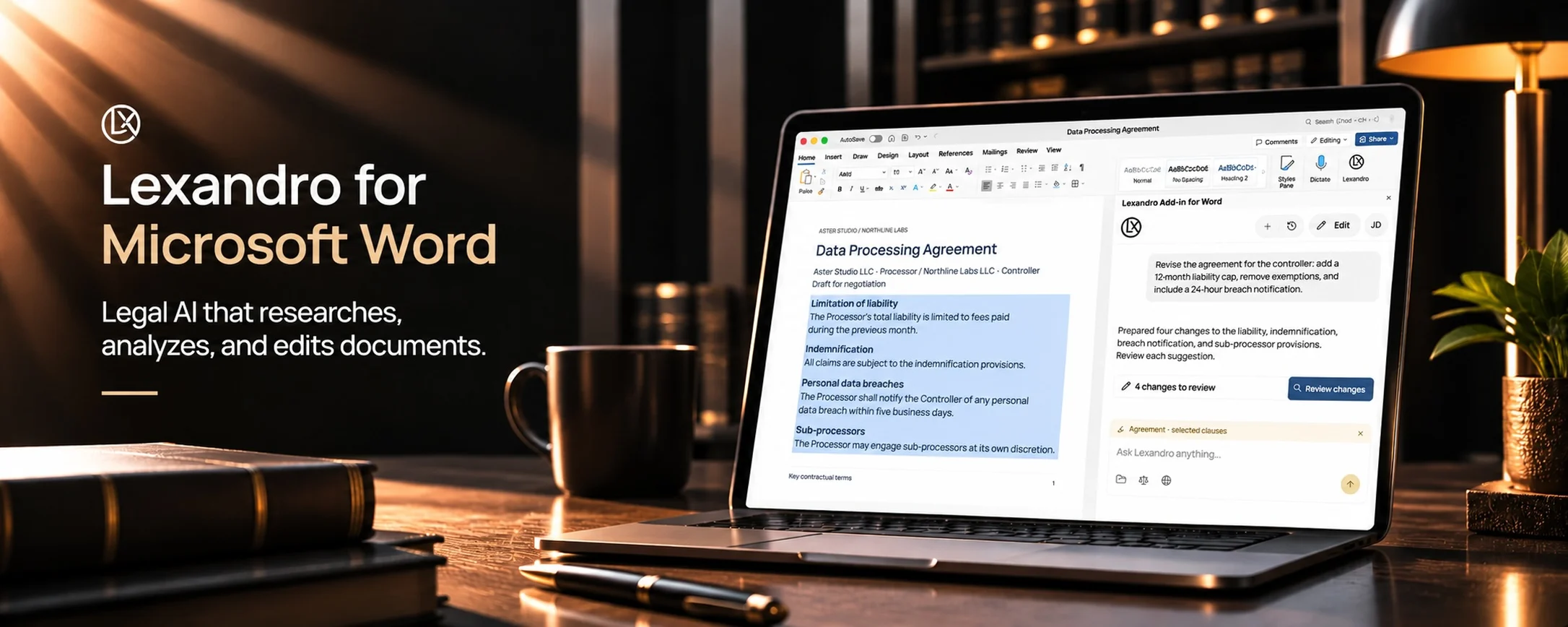
The Lexandro add-in for Microsoft Word allows you to research the law, analyse documentation, prepare legal texts and apply edits without leaving the document you are working on. Less switching between applications. Less routine work. More time for legal analysis, strategy and clients.
Imagine reviewing a contract that runs to dozens of pages, with numerous obligations and deadlines. You need to check whether individual provisions are consistent with one another, verify the relevant statutes and case law, compare the contract with the case documentation, and prepare amendments. In a typical workflow, that means opening multiple documents, searching different legal sources, comparing information and returning to Word to edit the text.
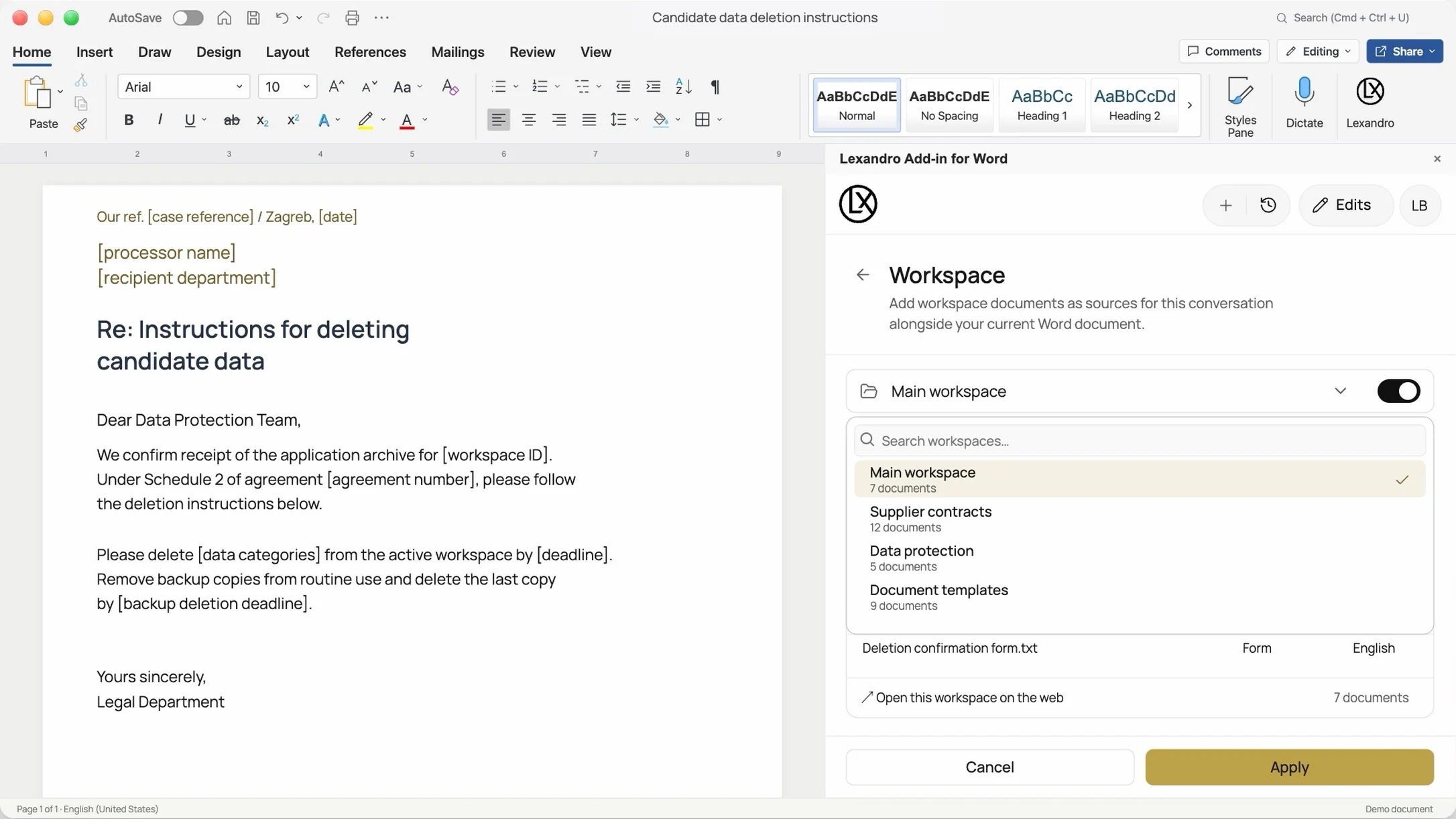
With Lexandro, those steps can become part of a single, connected workflow. While the document is open in Word, you can ask Lexandro questions in natural language, include additional legal sources and documentation, and request a specific edit to the text.
For example: "Analyse this contract and extract all obligations of the contracting parties." "Find the deadlines and warn me about possible inconsistencies between provisions." "Check the relevant legal sources connected to this contract clause." "Compare this provision with the case documentation." "Propose a clearer formulation of the highlighted clause and show the changes."
From question to analysis. From analysis to proposal. From proposal to document edit. All inside Word.
Advanced analysis of legal documents — find what matters without manually reading every page
Legal documents often contain a large number of interconnected pieces of information. Finding the relevant facts, deadlines, obligations and potentially problematic provisions takes time and concentration. Lexandro lets you analyse the content of the open document through natural-language requests.
Instead of manually searching the entire document, you can ask Lexandro to: summarise lengthy contracts, letters, reports and other documents; extract key facts, dates, deadlines and contractual obligations; identify provisions that require additional legal review; explain the content of a specific contract clause or statutory provision; recognise and anonymise sensitive data; extract the information needed for further analysis; or help populate a document template with available data.
For example, when reviewing a contract you can ask: "Extract all obligations of the contractor, the associated deadlines and the contractual consequences of failing to meet them." Lexandro can analyse the document and structure the relevant information so you can review and verify it more easily.
The benefit for the lawyer: less time on the initial review of documentation and a faster move to the questions that require professional legal judgement.
Legal research connected to the document you are working on
One of the key advantages of the Lexandro add-in is the ability to connect the open Word document with additional legal sources and documentation. Legal analysis can rarely be based on a single document. A quality assessment of a contract provision often requires checking the applicable statutes, relevant case law and the facts contained in other documents in the matter.
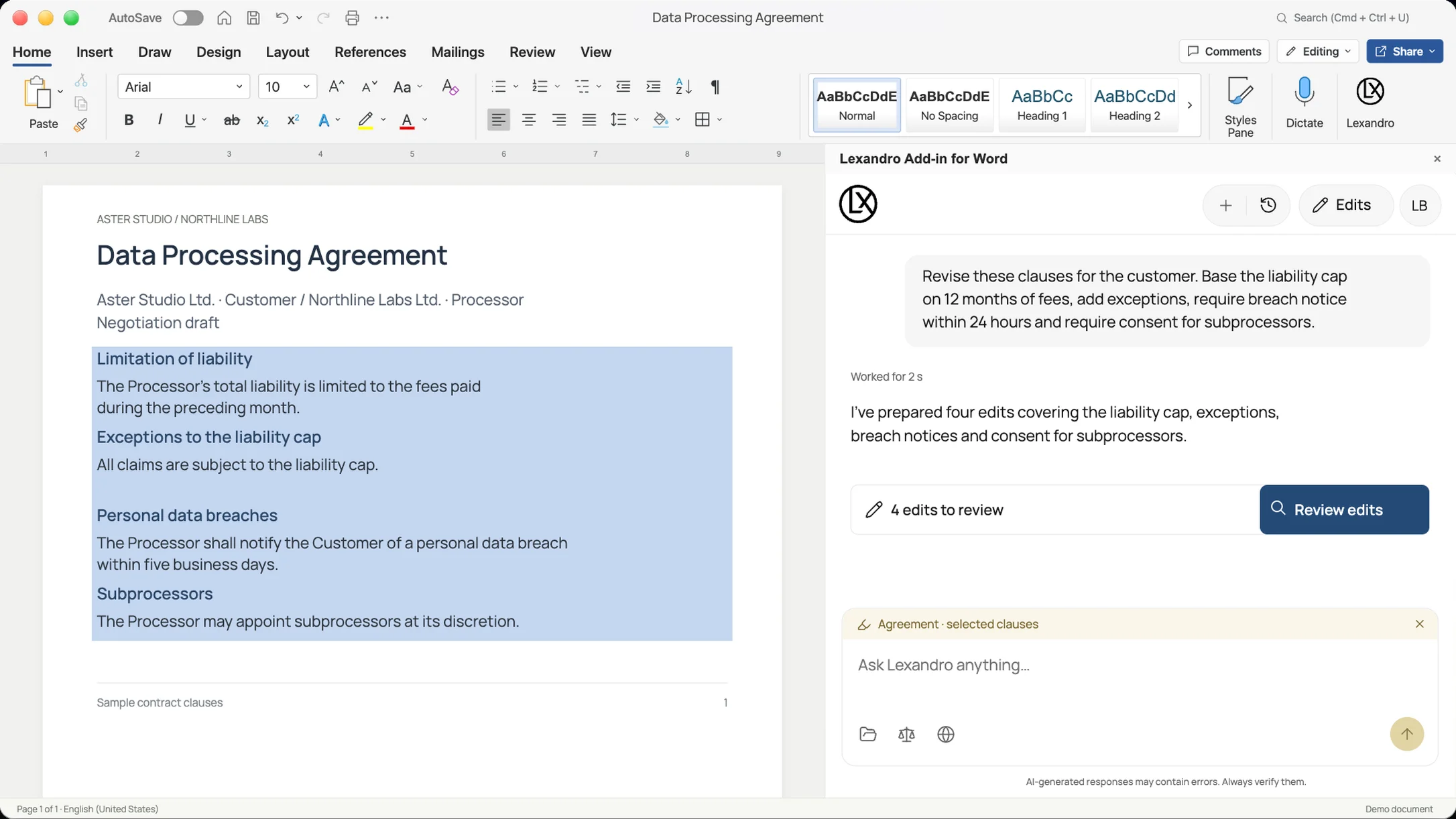
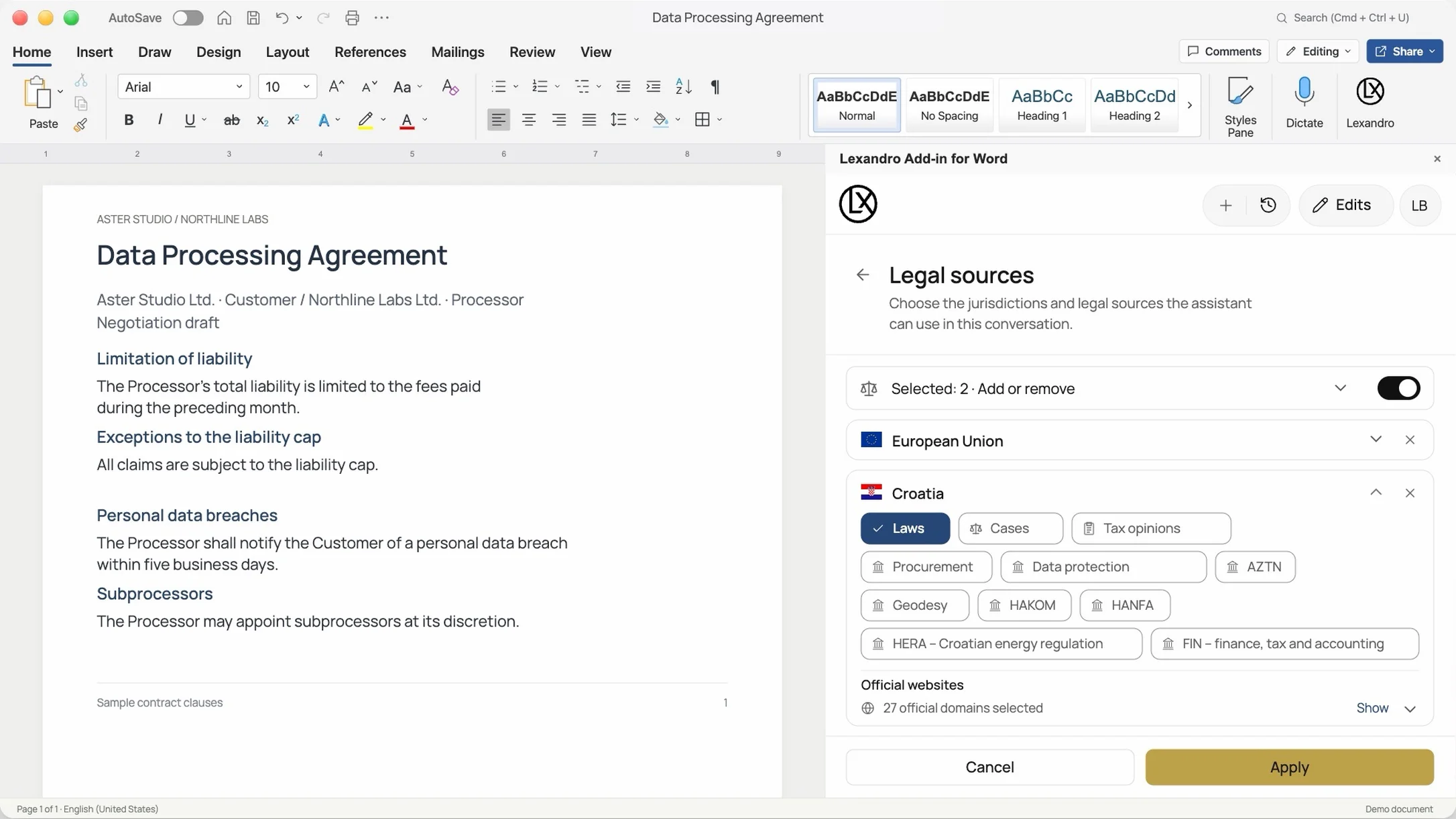
Lexandro lets you select legal sources (Legal Sources / Jurisdiction) and include documents from your workspace. This way the AI can use a broader context when processing your request, including: relevant statutes and other regulations; case law available in the selected legal sources; documentation for the specific matter; contracts, letters, reports and other working materials; and any additional sources you cite in your request.
In legal work, a convincingly written answer is not enough. You need to know which sources the answer is based on. Lexandro can include citations and links to the sources used, making them easy to verify.
For example, while reviewing a contract you can ask: "Analyse the highlighted provision in the context of the relevant statutes and case law, and cite the sources on which the answer is based." Instead of researching separately and then connecting the results to the contract, you can analyse the legal question in the context of the document you are editing.
The benefit for the lawyer: more efficient connection of legal sources with the specific matter, with the ability to verify the information before using it.
From legal analysis to a concrete document edit
Legal research is only one part of the job. Once you identify the problem, the most important step usually follows: drafting the appropriate legal formulation. Lexandro lets you prepare and refine content directly in Word.
Based on your instructions, it can help you: prepare a draft legal letter; draft or refine a contract provision; supplement an existing contract; reformulate an unclear or insufficiently precise clause; adapt text to specific requirements; or edit a selected part of the document without changing the rest of the content.
Especially useful is the ability to limit edits to the highlighted part of the document. For example, if you want to refine just one contract provision, you can highlight it and ask: "Reformulate this clause so that it defines the deadline for performance more clearly, while preserving its existing legal purpose." Lexandro can prepare and insert the edit into the selected part of the document, depending on the working mode. The add-in supports working with paragraphs, table content, and document headers and footers.
The benefit for the lawyer: a faster transition from an identified problem to a concrete formulation, without needlessly copying content between different applications.
Reviewing and Editing — full transparency over how text is changed
In legal practice, what matters is not only what was changed in a document, but also how those changes are presented and reviewed. Contracts, submissions and other legal documents often go through several rounds of refinement, comments and approvals. That is why Lexandro supports two working modes inside Microsoft Word.
Reviewing — edits with Word's tracked changes. The Reviewing mode uses Word's own Track Changes system. This presents edits in a way legal professionals already know from everyday work. You can see inserted and deleted text and review the proposed changes in the context of the document. This is especially useful when a contract is reviewed by several lawyers, when a document goes through internal approval procedures, when a client needs to see proposed edits, or when you need to compare the previous and the new formulation.
Editing — direct document editing. The Editing mode inserts changes directly into the document without automatic change tracking. It is suitable when you want to quickly refine a working version of the text or prepare a draft that is not yet in a formal review process.
Two working modes let you adapt the editing approach to the task, the document and the way you collaborate.
Word stays your working environment
One of the greatest practical advantages of the Lexandro add-in is that it does not require you to change the tool lawyers already use every day. Microsoft Word remains the place where contracts, submissions, opinions, letters and other legal documents are drafted and edited.
Lexandro brings additional capabilities into that environment: legal research + document analysis + content preparation + text editing. Instead of constantly switching between legal sources, documentation and Word, you can connect and use the relevant information while working on the open document. This simplifies the workflow, especially for complex matters that require simultaneous analysis of multiple documents and legal sources.
You do not need to change the way you work with documents. Lexandro extends the capabilities of the tool you already use.
AI as support for legal expertise — not its replacement
In the legal profession, speed must never matter more than quality, accuracy and professional responsibility. Lexandro is developed as support for legal professionals in research, analysis and document preparation. It can help find relevant information, propose formulations and facilitate document processing, but verifying sources, legal judgement and the final decision remain the responsibility of the legal professional.
That is exactly why the ability to review sources and track changes matters so much. The goal is not to automate legal responsibility, but to enable more efficient work while preserving professional control over the final document.
What does Lexandro concretely bring to your law firm?
The value of the Lexandro add-in is not only in its individual AI capabilities. Its greatest advantage is connecting multiple steps of legal work into a single process — from the first question to the refined document.
Less time on routine tasks. Faster information retrieval, document analysis and preparation of initial drafts.
Simpler legal research. Connecting the open document with relevant statutes, case law and matter documentation.
More efficient preparation of contracts and submissions. The ability to move from analysis straight to drafting and refining text.
Better transparency of changes. Using Word's Track Changes in review and collaboration procedures.
Less switching between tools. Research, analysis and editing happen inside a familiar working environment.
More time for legal strategy and clients. Reducing the time needed for preparatory and repetitive tasks opens more space for the work in which legal expertise brings the greatest value.
The true potential of legal AI is not only in the speed of the answer, but in how effectively it helps turn that answer into a high-quality legal document. Lexandro connects legal knowledge, matter documentation and text editing in Word, enabling legal professionals to work more efficiently while keeping control over the content.
See Lexandro in Microsoft Word in action
What does it look like when legal research, document analysis and contract editing become part of a single workflow? The best way to understand what Lexandro can do is to see it in practice.
We invite you to a 30-minute demonstration of the Lexandro add-in for Microsoft Word, during which we will show you, on a concrete example, how you can: analyse a contract and extract key obligations, deadlines and open questions; connect the document with relevant legal sources and matter documentation; verify the sources on which the legal analysis is based; prepare and insert edits into contract provisions; and review proposed changes using Word's Track Changes functionality.
In just 30 minutes, discover the capabilities that can change the way you work with legal documents every day. Find out how Lexandro can help you spend less time on routine tasks and more on legal analysis, strategy and client work.
Lexandro for Microsoft Word — from a legal question to a verifiable document edit. Request a demo.